























There are several ways to connect Television to the Internet, and the most appropriate way depends on the type of TV (smart or regular) and the connection options available. Here is a breakdown of the common options:
1. Connecting a smart TV to the Internet:
A Smart TV comes with a built-in ability to connect to the Internet, so you can watch streaming content, browse the Internet, and use various apps.
- Wireless connection (Wi-Fi):
- Most smart TVs are equipped with a built-in Wi-Fi adapter.
- To connect, go to the network settings on the TV and select the "Wireless Connection" option.
- The TV will scan for available wireless networks, and you must select your home network and enter the password.
- Wired connection (Ethernet):
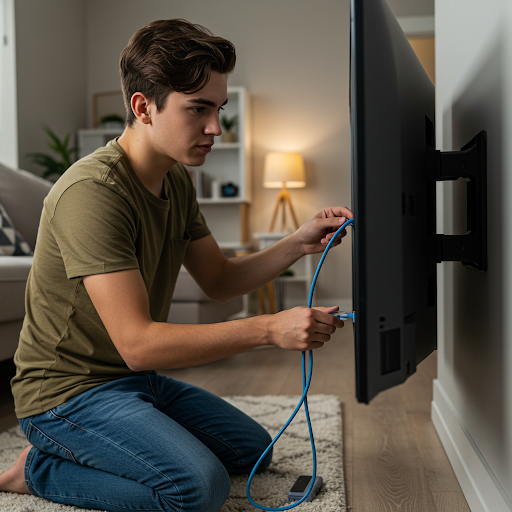
- If the router is close to the TV, it can be connected directly to it using an Ethernet cable.
- This provides a more stable and faster connection than Wi-Fi.
- Connect the cable to the Ethernet port on the TV and the corresponding port on the router.
- Then, select the "Wired Connection" option in the TV's network settings.
2. Connecting a regular TV to the Internet:
A regular (non-smart) TV does not have built-in internet connectivity. To connect it to the internet, you need to use an external device:
- Streaming Device:
- Devices like Apple TV, Chromecast, Amazon Fire Stick, Roku, and similar devices connect to a TV via an HDMI port and allow access to the Internet and streaming services.
- Connect the device to the TV, connect it to the Internet (via Wi-Fi or cable), and install the desired apps.
- Computer or game console:
- You can connect a computer or game console to your TV via the HDMI port and use them to browse the Internet and watch content.
Tips for a stable and fast connection:
- Router location: If using a Wi-Fi connection, it is recommended to place the router close to the TV to get a strong signal.
- Internet speed: A fast and stable connection is essential for smooth viewing of streaming content, especially 4K content.
- Updates: Make sure your TV and streaming device (if applicable) are updated to the latest software version.
If you are having problems connecting your TV to the Internet, it is recommended to check your cable connections, the network settings on your TV, and the operation of your router.